

What ChordAid does
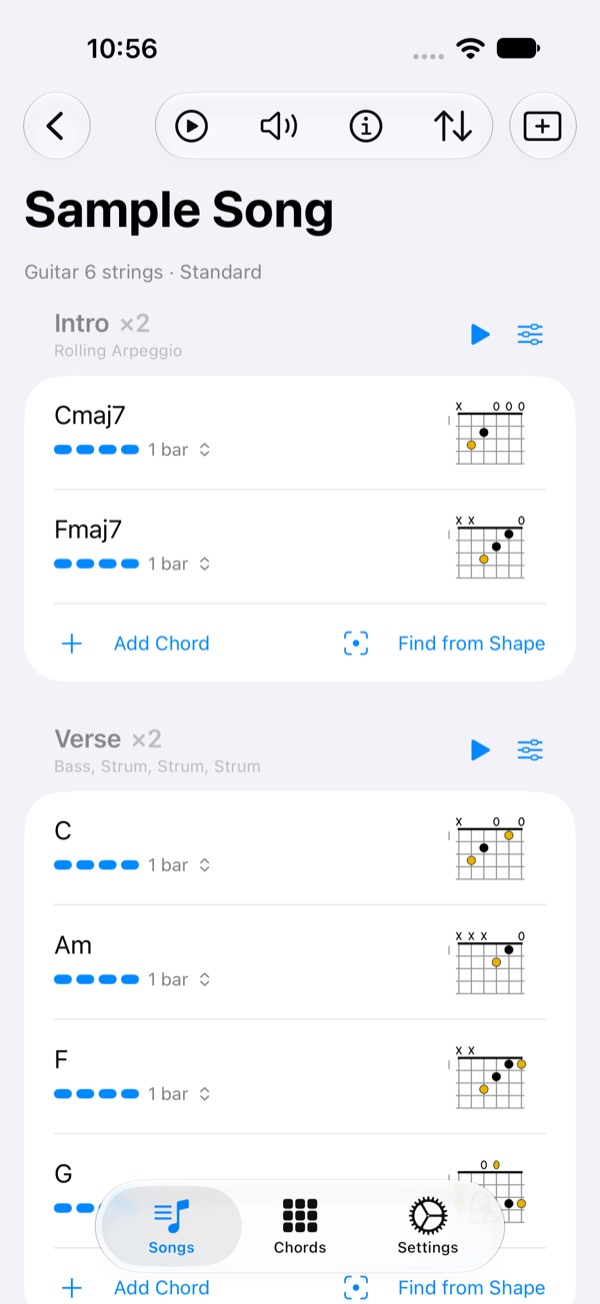
Write down your songs
Section by section: the chords and how long each one lasts, one of eight strum and finger-picking patterns from a simple strum to Travis picking, the repeats and the lyrics. Pick the exact shape for every chord, and set the tempo and capo.
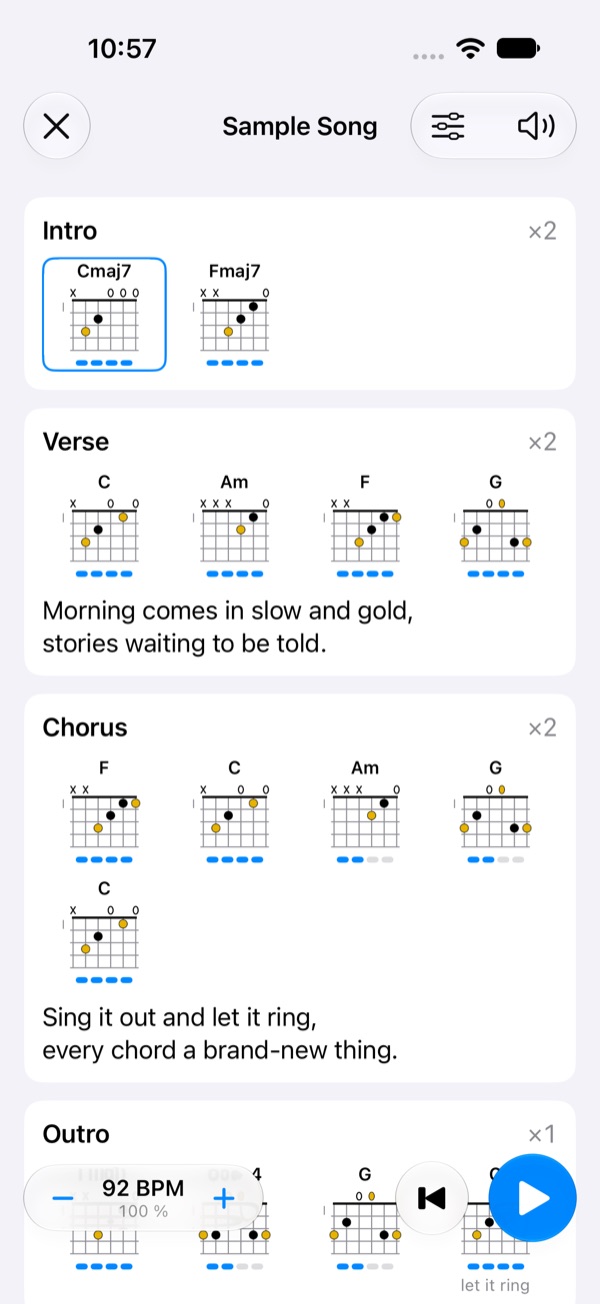
Play along
Play Song plays the whole song while you play or sing along, and keeps the section that is playing in view. Slow it down to practise and speed it up as you get better, add a count-in bar and a metronome click, or loop it.
Shapes that fit your hands
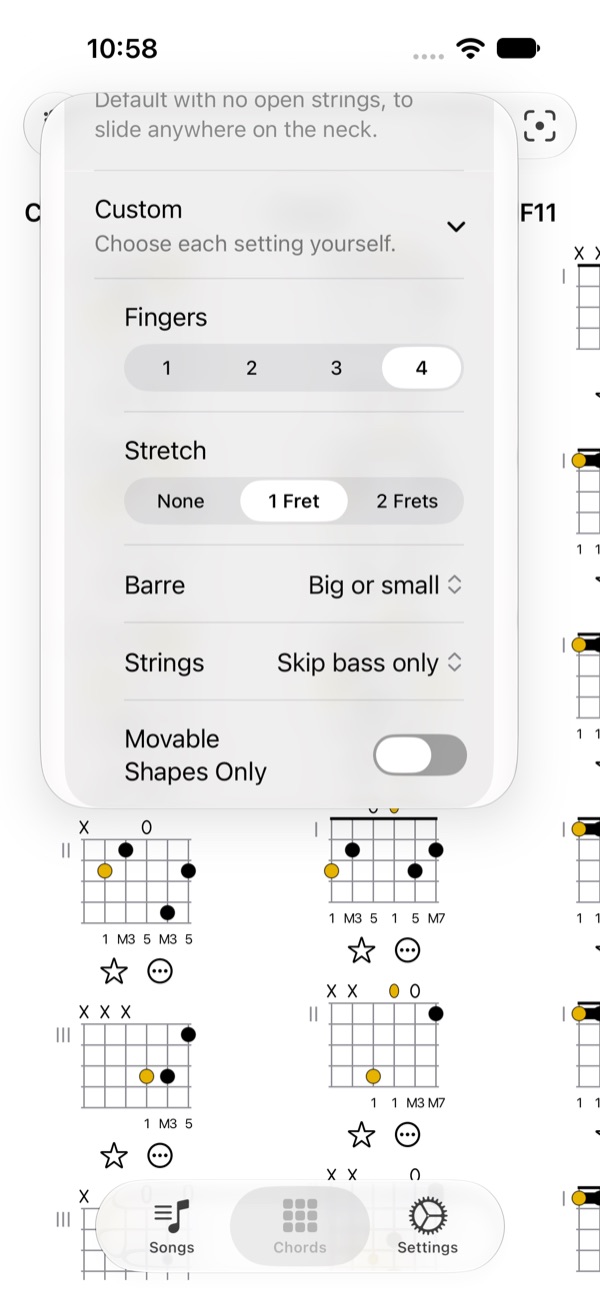
Compare several chords side by side, or every shape of one chord. Choose how many fingers you use, how far you stretch, which barres you can play, or movable shapes only. Star the shapes you like and keep them as your own chord library.
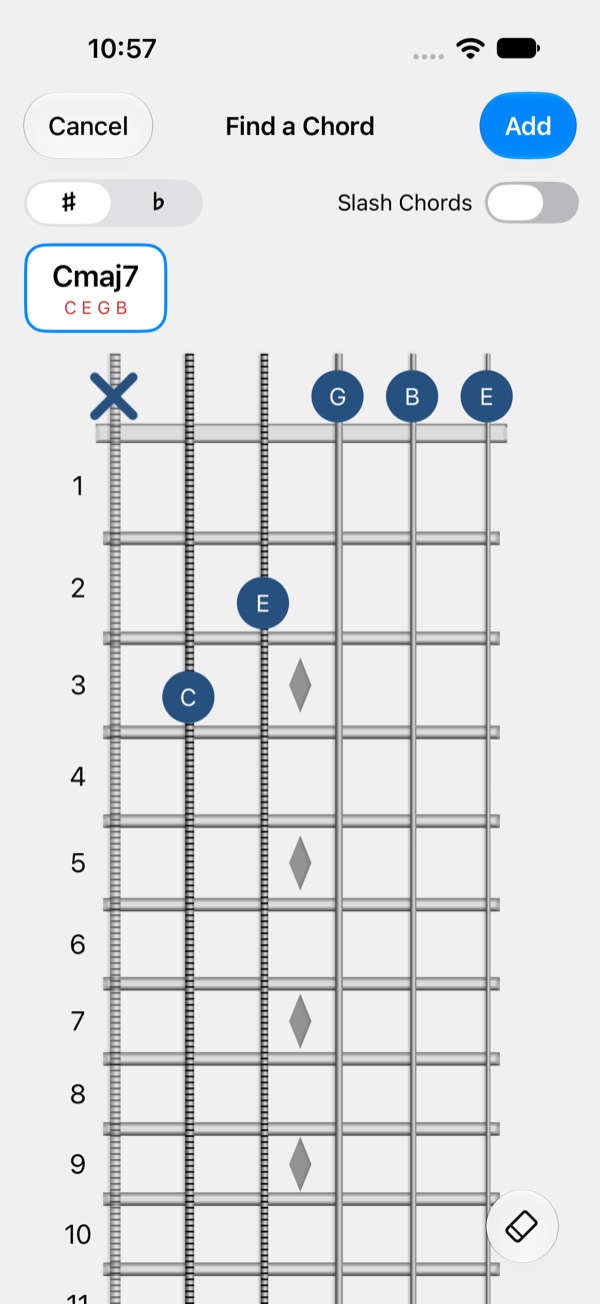
Name any shape
Tap notes on the fretboard and ChordAid names the chord, slash chords included. Add it to a song or to your chords, and see its other shapes.
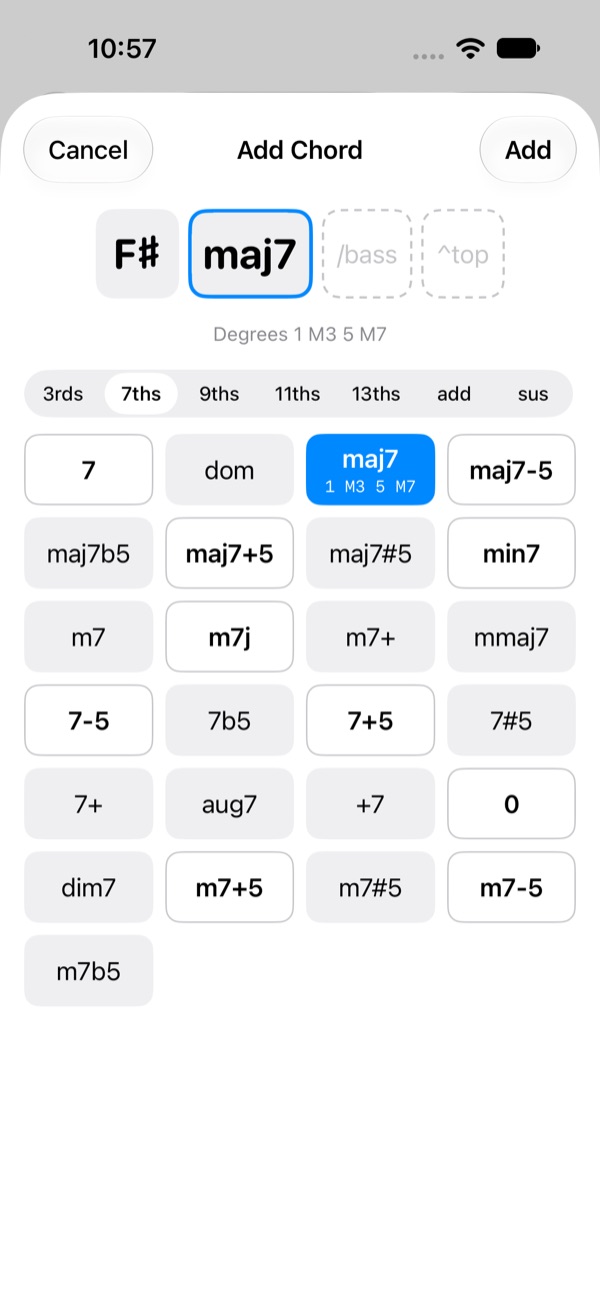
More than 80 chord types
From triads to the extended chords of jazz. Every diagram marks the root in gold and names each string’s interval or note. How to read a chord diagram.
Made for how you play
Left-handed diagrams, English or German note names, Roman or plain fret numbers. Tap any shape to hear it as a strum, a bass note or an arpeggio.
See it in 30 seconds
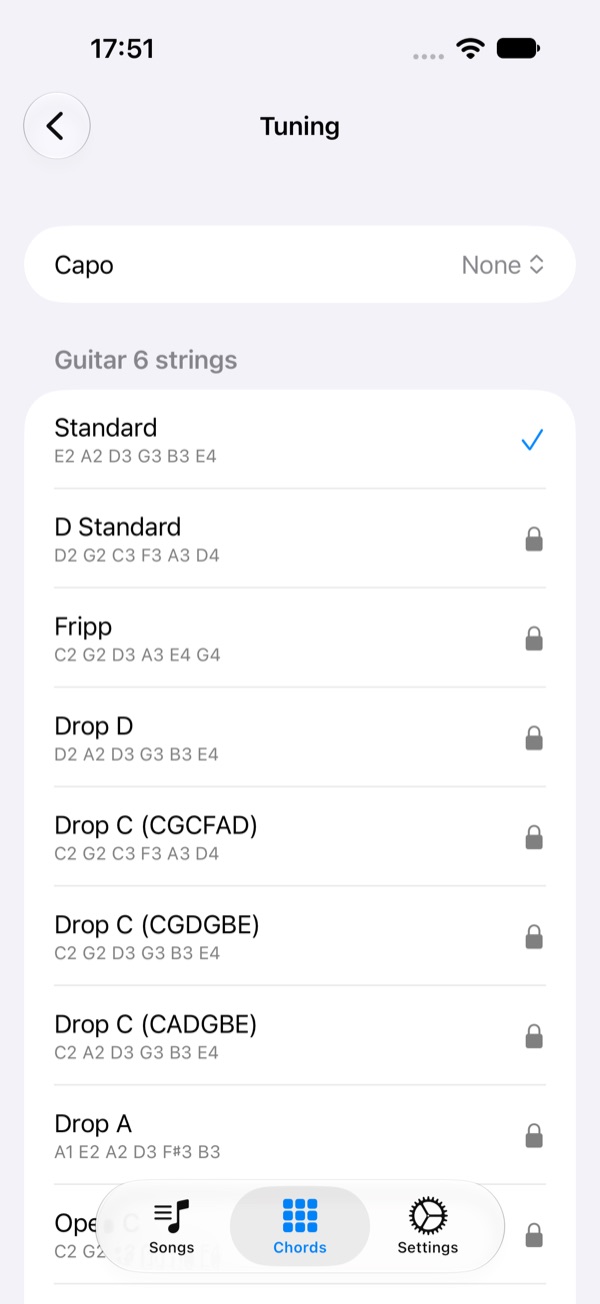
A song played along, a shape picked for a chord, the fingering filter, the chord finder, and the instruments and tunings.
New to ChordAid, or coming from an earlier version? The user’s guide covers every screen, from what the dots on a diagram mean to steering a song while it plays.
11 instruments, 60 tunings
- Guitar
- Standard, D Standard, Fripp; Drop D, A, B; Drop C (CGCFAD, CGDGBE, CADGBE); Open C, C♯, D, E, G, A, B; Open D minor, G minor; Modal D, G
- Bass guitar, 4 strings
- Standard, Drop D, Drop C
- Bass guitar, 5 strings
- Standard, Tenor
- Ukulele
- Concert, Concert low G, D, Canadian, Baritone, Bass
- Mandolin
- Standard, Tenor / Mandola
- Bouzouki
- Three and four courses, Irish, Octave mandolin, Open D, Open G
- Guitalele
- Standard
- Banjo, 5 strings
- Open G, D, A; Drop C, Double C, Old-time D, G modal / Sawmill
- Banjo, 4 strings
- Standard (CGDA), Celtic / Irish, Chicago, Plectrum
- Waldzither
- Normal, Bass
- Charango
- Charango, Ronroco
- Cittern
- Standard, Irish, Modal D, Mandolin low C, Mandolin high B
Free to try, yours to keep
ChordAid is free to download, and songs are free and unlimited. The basic chord types and the most common tunings are free too. More chord types and tunings are one-time in-app purchases, with no subscription. Purchases from earlier versions carry over.
Coming from ChordAid 4?
ChordAid 5 is a free update. Your favourites come along as starred shapes, and your chord lists become songs. What happens to your data. ChordAid 5 needs iOS 26 or iPadOS 26; on older systems the App Store keeps offering ChordAid 4.
Support
Most questions are answered in the user’s guide. For anything else, a bug or a feature you miss, write to our support address, or use Settings › Email Support in the app. We can’t reply to App Store reviews, so write to us directly.
Follow ChordAid on X or Facebook to hear about new versions.